Source-linked notes
Every line links back to the part of the conversation it came from.
Ambient AI Scribe
Every role, every visit
EveStella by KastHunt (aka KH Scribe) is an ambient AI scribe that turns patient intake, front-desk calls, nursing triage and consultations into structured, review-ready notes in clinician's own voice. It works end to end, is customised to your roles, templates and EHR.
Consultation workspace · Active visit
Routine follow-up discussion.
Patient reportHome readings available; values not provided.
Review requiredConfirm history and next steps.
Watch the workflow
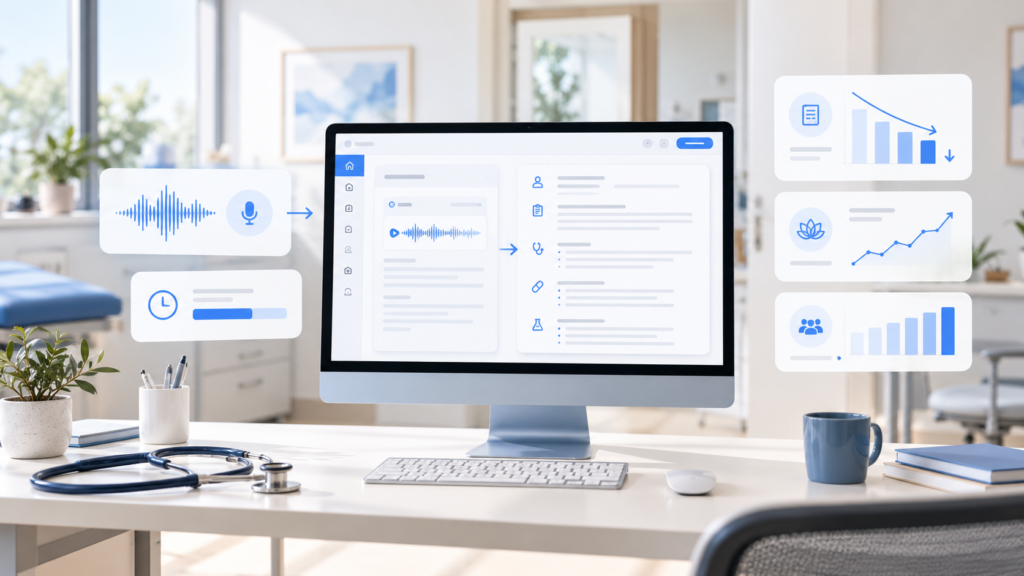
In this short demo, a clinician runs a routine consultation. EveStella transcribes it live, drafts a SOAP note, a patient summary and patient instructions, and flags codes for review; all before the clinician signs. Every line links back to the moment it was said.
Demo uses synthetic patients. No real patient data shown.Every role
Each role gets its own output, built from what was already captured earlier in the visit — so nothing is typed twice.
Patient details are captured once and prepared for the care team.
Synthetic demonstration data. No real patient information shown.
How it works
Every note is traceable, reviewable and signed by a person before it reaches the record.
Every line links back to the part of the conversation it came from.
Notes follow your sections, specialties and note styles.
Drafts keep each clinician’s natural phrasing and style.
Suggested codes and uncertain details are highlighted for review, never auto-filed.
Signed notes go back to your EHR through FHIR; tested with Epic and OpenEMR.
Insights
Research, frameworks and field notes for teams deciding what to build, what to trust and what to scale.
A buyer-focused framework for comparing clinical documentation tools across workflow fit, governance, deployment, EHR integration and human review.
Explore the GuideShort, useful thinking for healthcare AI decisions.
 Article
AI in Medicine
AI scribes can reduce documentation burden and may reduce clinician burnout, but the outcomes should not be treated...
Read the Article Article
AI in Medicine
A practical 2026 guide to choosing an AI clinical scribe across multiple sites, covering EHR integration, governance, safety,...
Read the ArticleFrequently asked questions
Straight answers on choosing, deploying and trusting an AI scribe across a multi-site clinic group.
Direct answer: The best AI scribe for a multi-location group works with every EHR across your sites, covers every role in the visit, gives head office one set of templates and reporting, and keeps patient data where your rules require. EveStella by KastHunt is built for this: one connected flow from intake to signed note, deployed in your own environment.
For a full comparison of 30 platforms, see the AI Scribe Buyer’s Guide 2026.
Direct answer: An ambient AI scribe listens to the consultation with consent, transcribes it, drafts a structured note, highlights anything that needs checking, and waits for the clinician to approve it before it reaches the record. EveStella does this in four steps, starting from the patient’s intake so the note never begins from a blank page.
Before the visit, the patient’s intake answers — reason for visit, medications and allergies — are already in EveStella. During the visit, it records with consent, separates speakers, and picks out medications, numbers and history. Audio is deleted after the note is created — 24 hours by default.
EveStella organises the note into your templates, such as SOAP, referral letter or SBAR handover, while keeping each clinician’s usual phrasing. Every sentence links back to the moment it was said, so the clinician can check the source in one click.
Suggested codes — ICD-10, SNOMED CT, MBS or provincial codes, by region — and any low-confidence details are highlighted. Critical facts such as units, sides of the body and medication names are also checked by rules, not left to the AI alone. Nothing is filed until a clinician reviews and signs.
The signed note is written back to the EHR, every action is logged, and the admin dashboard updates by site.
Direct answer: Most AI scribes run only in the vendor’s cloud, so patient audio leaves your organisation. EveStella is one of the few that can be deployed on your own servers or in your own AWS or Azure account, so audio, transcripts and notes stay inside your security boundary and under your policies.
Direct answer: Most AI scribes are built for the doctor’s consultation note. EveStella supports five roles in one connected flow — patient intake, front desk, nurses, doctors and specialists, and admin teams — so information captured at check-in or triage is reused in the consultation note instead of being typed again.
Why it matters: the work before and after the consultation — intake, triage, handovers and referrals — is often where documentation time and errors build up. Covering the whole visit saves time for the whole team, not one role.
Direct answer: AI scribes connect to EHRs at four levels: built into the EHR, embedded through the EHR’s APIs, sending a structured note into the record, or copy-and-paste through a browser. EveStella uses FHIR to write signed notes back where the EHR allows — tested with Epic and OpenEMR — and falls back to a browser route or secure copy elsewhere.
The scribe is part of the EHR’s own product and interface.
The scribe opens inside the EHR through supported app interfaces.
A reviewed and signed note returns to the record through FHIR.
A practical route when an EHR does not expose an open API.
Ask any vendor: for each of our EHRs, which level do we get, and what data writes back?
Direct answer: AI scribes save time, but none are error-free. Ontario’s provincial assessment found incorrect medical information in all 20 products tested, and a 2025 study found errors in most AI-drafted notes — mostly omissions. Safe use needs source-linked notes, clear flags and clinician sign-off. EveStella is built around all three, and it does not diagnose.
What your organisation should do: audit a sample of notes every month, train clinicians to review before signing, and tell patients how the tool is used.
Join the waitlist
Upto 90 days free. We map your roles, note styles, review flow and governance, then set EveStella up for your team.
Join the beta